
Our website uses cookies to enhance your browsing experience.



 Contents
Atlas Viewer is an edition of PVS-Studio Atlas that provides a cross-platform desktop utility for viewing and marking results produced by the PVS-Studio static analyzer. To deploy a server-based multi-user solution, refer to the Atlas Server documentation.
The distribution files for the utility are available for download on the Download PVS-Studio (beta) page.
The table below lists the available distributions and how to install them:
|
Format |
System and package manager |
Installation method |
|---|---|---|
|
.exe |
Windows, x64 |
Run the installer |
|
.dmg |
macOS, Apple Silicon |
Drag to Applications |
|
.AppImage |
Linux, x64 |
Drag to a directory |
|
.deb |
Linux, x64 |
dpkg, apt |
|
.rpm |
Linux, x64 |
rpm, dnf, yum, zypper |
|
.pacman |
Linux, x64 |
pacman |
|
.tar.xz |
Linux, x64 |
Extract to a directory |
Atlas Viewer only supports importing PVS-Studio reports in the following formats:
.json — the current report format;.plog — a previous report format;.pvsmap — a binary report containing warnings, result markup, and (optionally) source code.The Report section interface is divided into several functional areas:
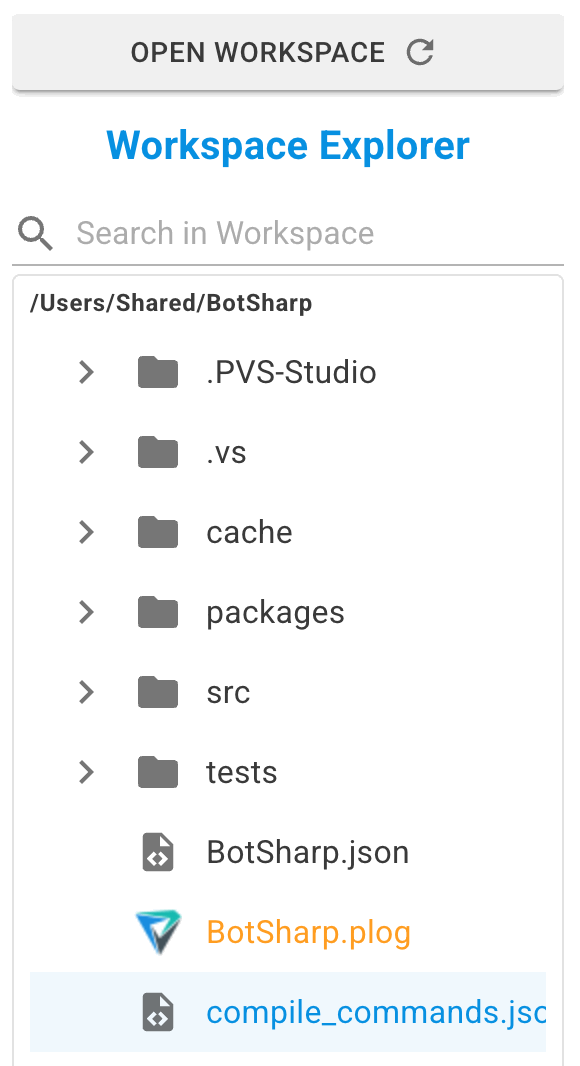
The left panel (Workspace) is s used to work with project files on disk, or with files packaged inside a .pvsmap report. The Workspace usually matches the project directory. To load a project, click Open on the toolbar and specify its path, then select the desired analyzer report from the list of files that appears. When a "raw" analyzer report is saved as .pvsmap, or an existing .pvsmap file is opened, the panel switches from Workspace view to the PVS-Studio Map content browser.
On launch, the last used Workspace or the PVS-Studio Map browser automatically reopens, allowing work to continue without interruption or additional configuration.
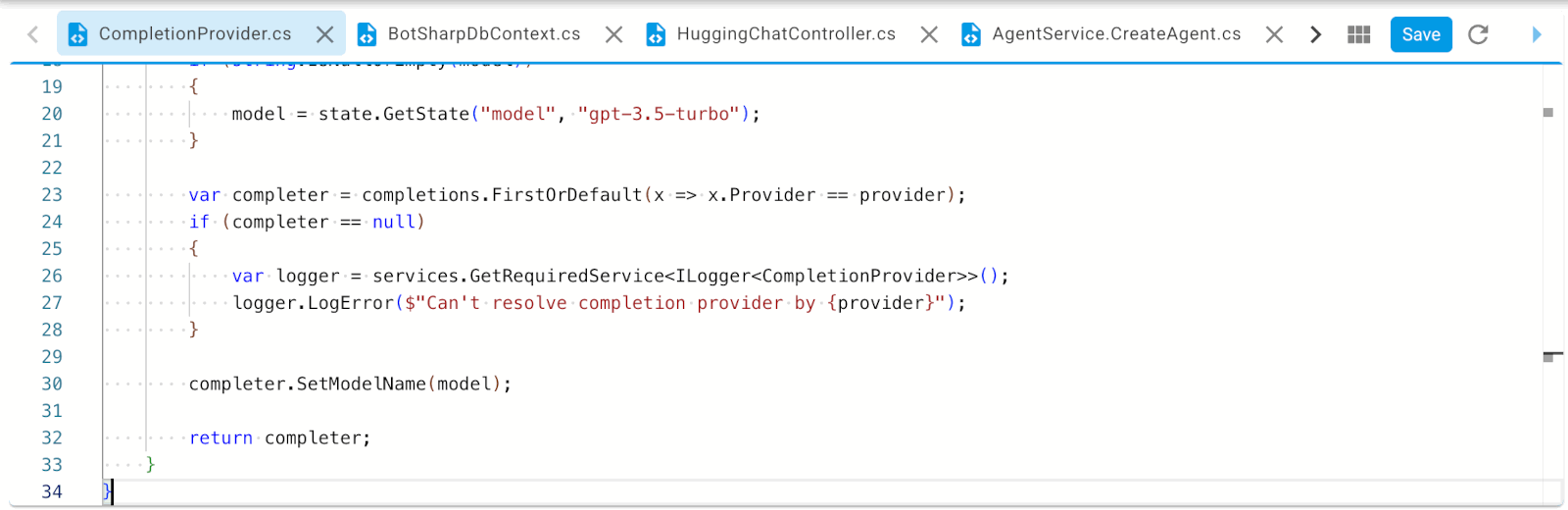
The source code can be viewed in the central pane. Clicking an analyzer warning automatically navigates to the corresponding line in the source code file.
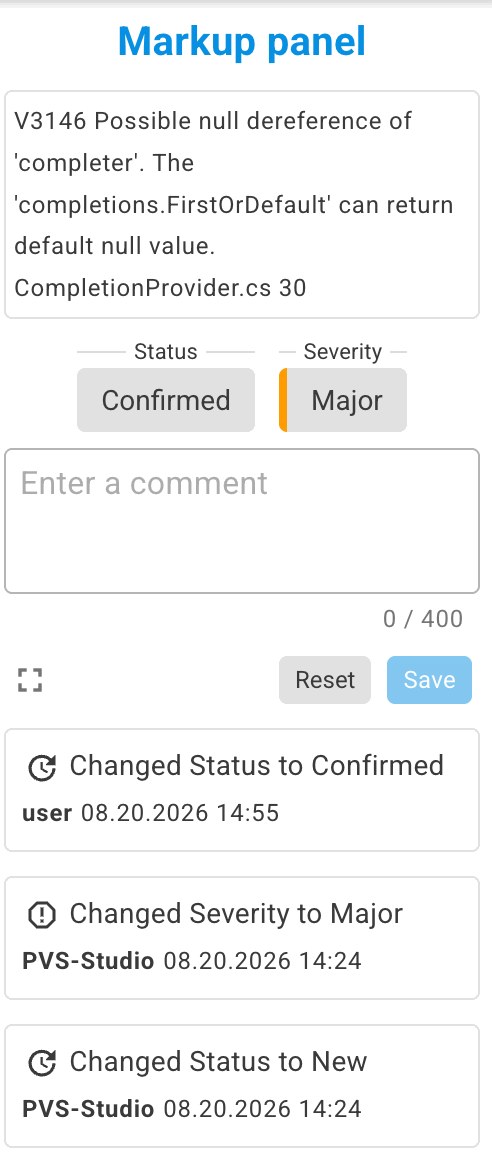
The Markup Panel on the right is used for marking up warnings: assigning a new severity level to a warning, selecting one of the available statuses, or leaving a comment.
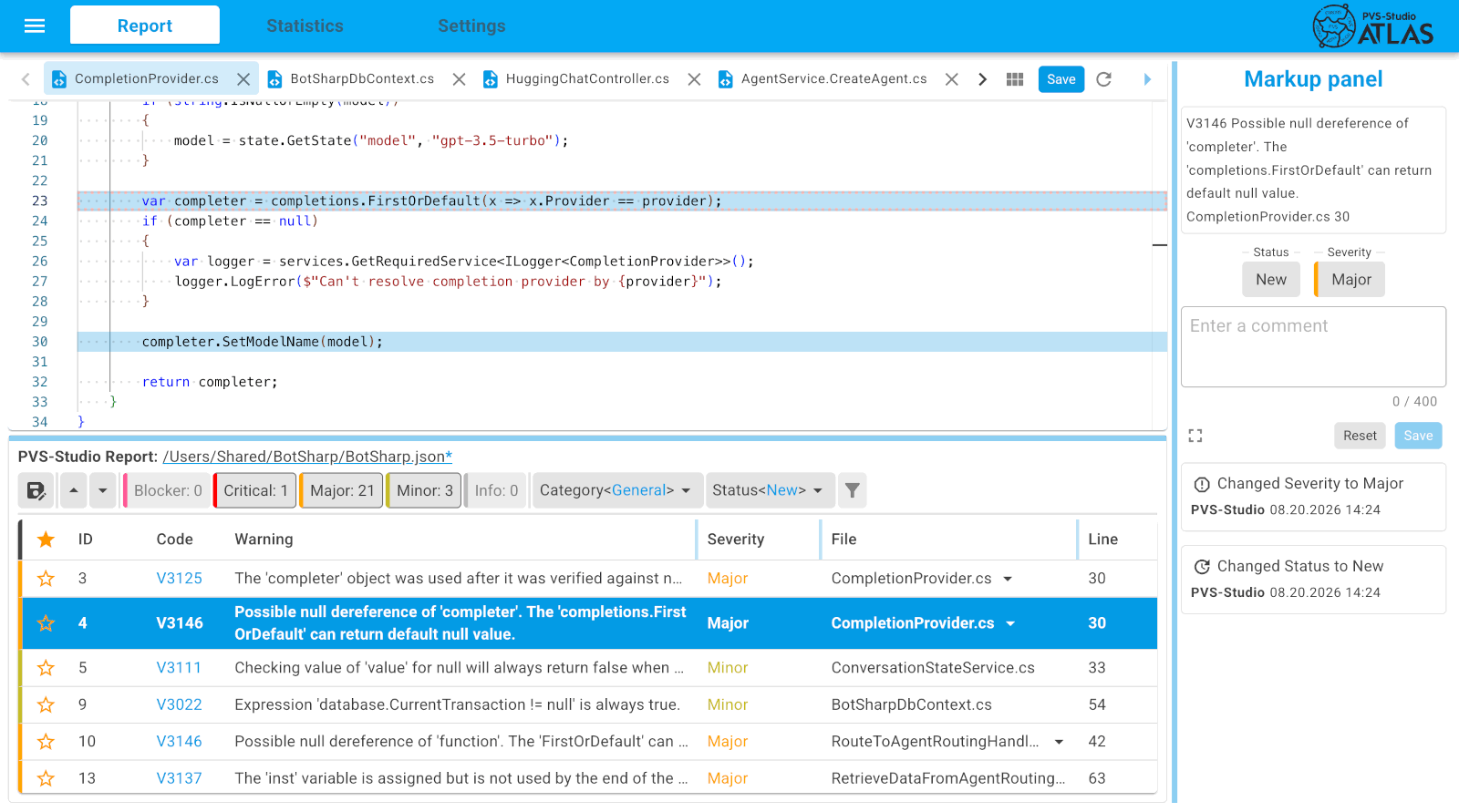
The warnings issued by the analyzer can be viewed on the bottom pane, with each line representing a separate warning. The warning view pane supports column sorting and multiple filter options.
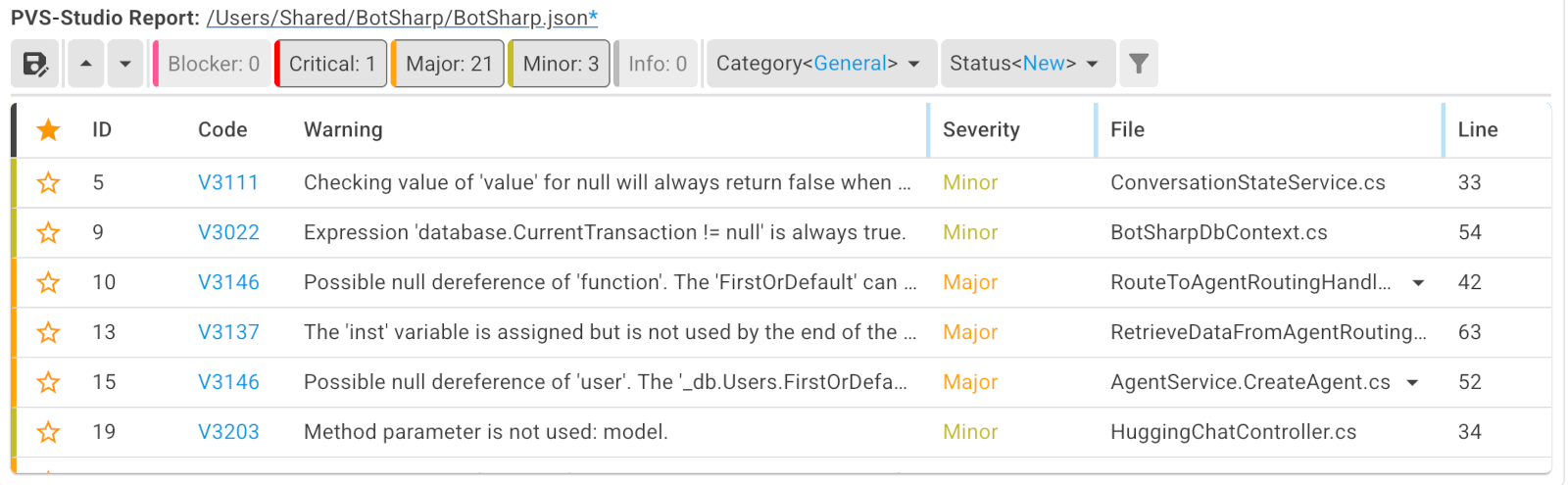
The warning view pane enables saving a "raw" analyzer report in the .pvsmap format. The file can contain warnings, markup, and, if necessary, source files.
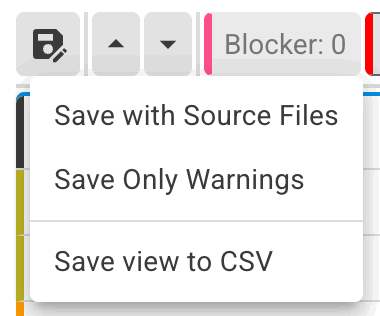
Available options for saving the report:
SourceTreeRoot will be packaged into a .pvsmap file, along with the source files for any file extensions PVS-Studio supports.SourceTreeRoot still needs to be configured, though, so file paths in the report are handled correctly and do not expose paths specific to a particular computer.Learn more about how to navigate through warnings and their mark up in the documentation "View and mark up analysis results".
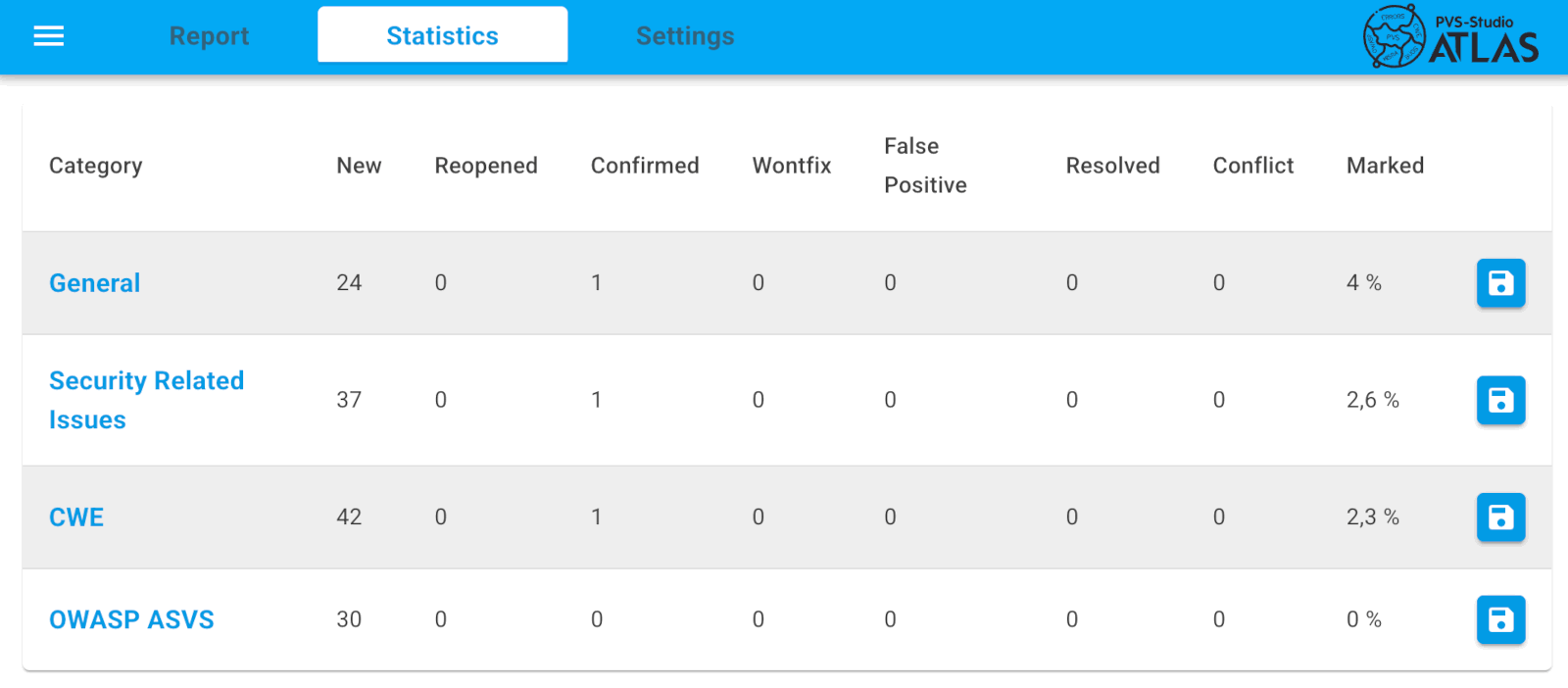
The Statistics section provides information about the full contents of the uploaded report and the progress of warning markup.
Its main element is a table that organizes data by warning category. For each category, it displays the number of diagnostic rules and their distribution by status. The section also makes it possible to generate and download the final markup report.
The following options are available in the Settings section:
SourceTreeRoot for the project directory and Workspace for the directory containing the analyzer reports. Was this page helpful?
