Our website uses cookies to enhance your browsing experience.




 Contents
Users with the "Administrator" permission can enable and configure LDAP on the Administration > LDAP Configuration page:
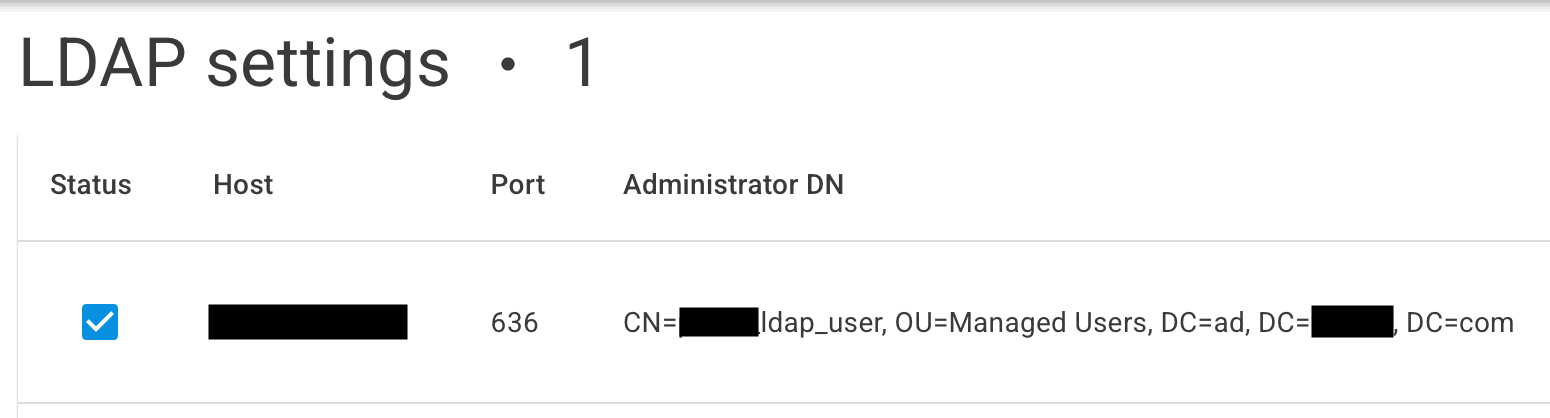
You can create multiple configurations to connect to several LDAP servers. When logging in via LDAP, authentication attempts will be made one by one until one of the servers confirms a successful login.
To create a configuration, open the following dialog:
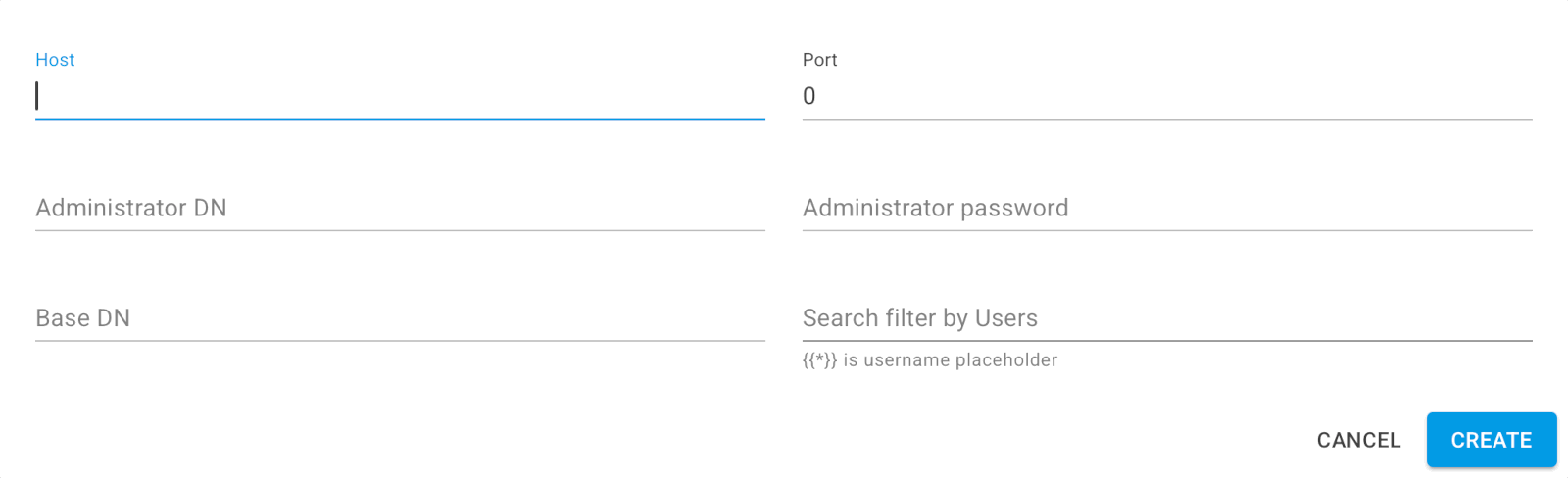
ad.company.com.636 is commonly used.CN=my_ldap_user, OU=Managed Users, DC=ad, DC=company, DC=com.OU=Managed Users, DC=ad, DC=company, DC=com.(&(objectClass=user)(sAMAccountName={{*}})), where{{*}} is a placeholder for the username.If the LDAP server requires a security certificate for connections from Atlas Server, add the certificate file to a directory from the docker-compose.yml configuration as follows:
volumes:
  - ./dashboard_certs:/app/certs
For more information about deploying Atlas Server with Docker Compose, see the Docker Compose deployment.
Was this page helpful?

Your message has been sent. We will email you at
If you do not see the email in your inbox, please check if it is filtered to one of the following folders: